Trader Portal & WebTrader
A trading terminal under your brand.
A browser-based trading terminal with multi-tab charts, four order types and live pricing — plus wallet, deposits, KYC and a dedicated mobile layout, on your own domain and brand.
What the portal does
Everything a client needs, in one portal.
- 01
Professional charting
Periods from one minute to one month, indicators, drawing tools, a timezone setting, screenshot and full-screen modes. Several instruments stay open as tabs and are remembered on the device.
- 02
An order ticket with built-in checks
Market, limit, stop and stop-limit orders with lot validation, leverage capped per instrument and account, stop-loss and take-profit, post-only and reduce-only options, and a margin and contract-value preview before the order is sent.
- 03
Orders, positions and history
Pending orders, open positions and closed history in one panel. Edit SL/TP, close partially or cancel, with live updates.
- 04
A wallet that shows the account at a glance
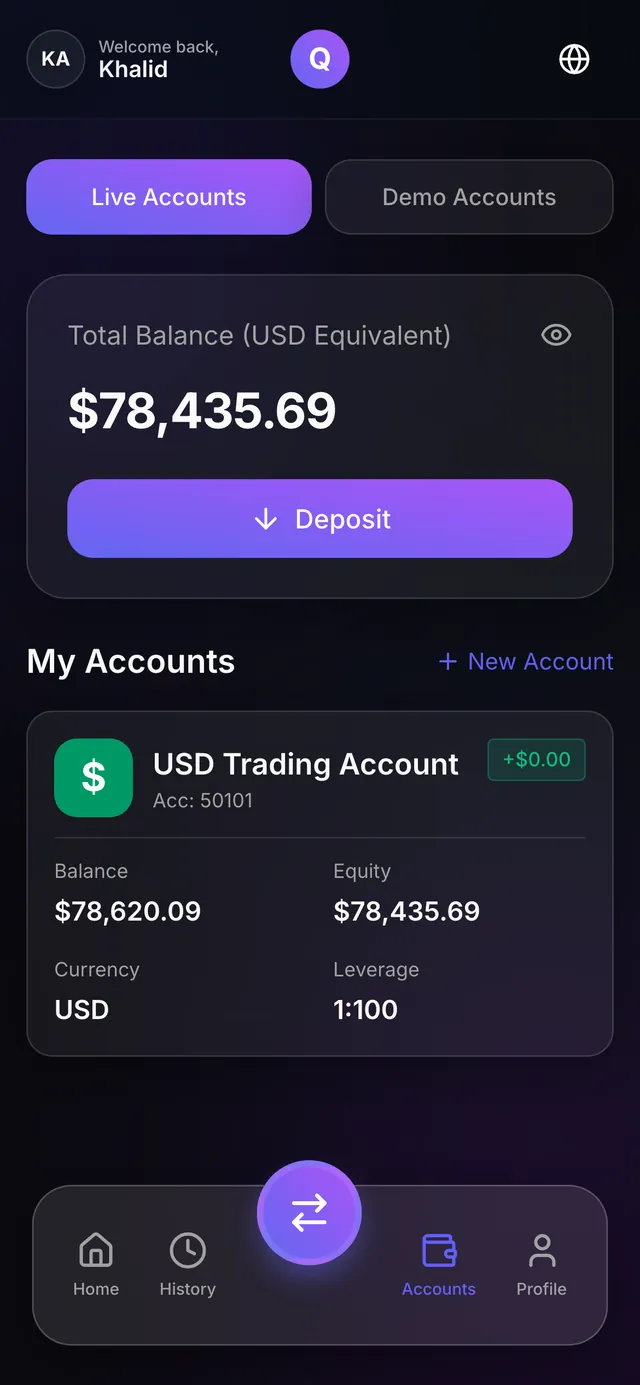
Total assets, available and locked balance, equity and used margin, an accounts table with daily P&L and status, recent transactions, and statements downloadable as Excel or PDF.
- 05
Deposits and withdrawals
Methods are filtered by account currency: manual bank transfer or crypto address with QR, card, or hosted processor checkout. Withdrawal requests are approved in the CRM.
- 06
Profile and KYC
Personal details, password change, multi-file document upload, a KYC status card, notification-channel and language preferences, and a “send test notification” button.
- 07
Client registration
“Open Trading Account” with name, email, international phone, country and password; email verification and password reset. Registration can be switched off per brand, and a matching CRM lead is converted automatically.
Mobile
A mobile layout that installs to the home screen.
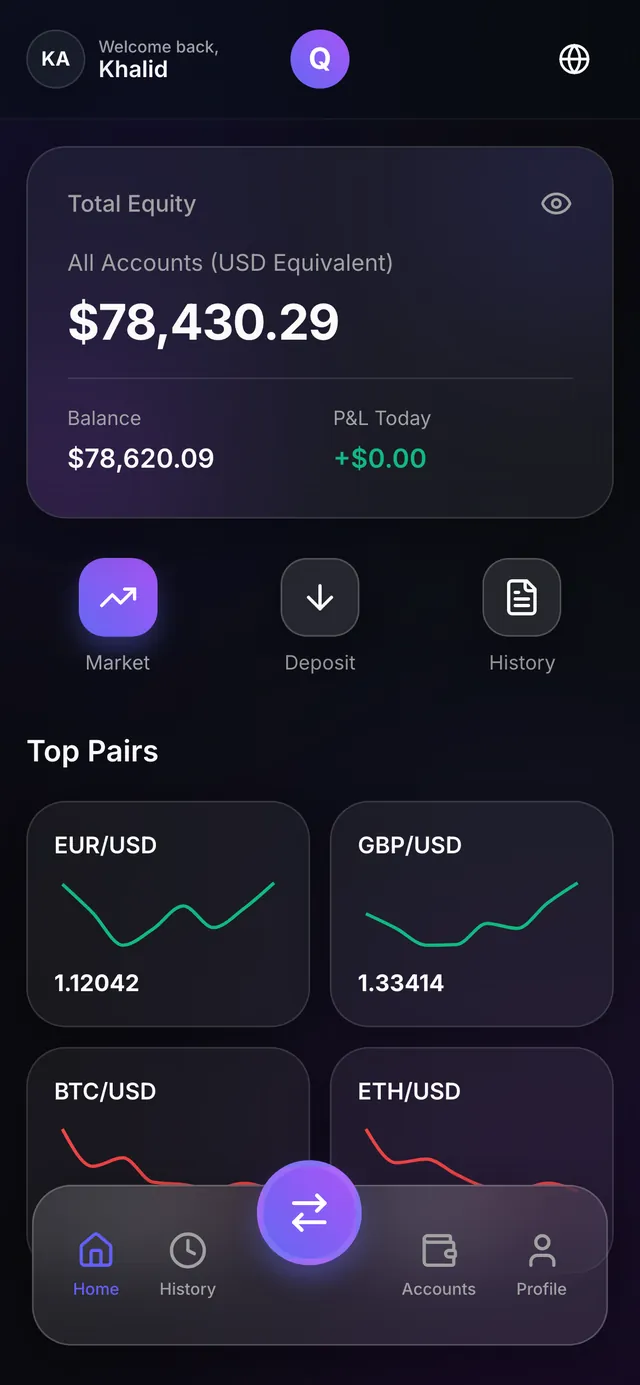
On phones and tablets the portal switches to a dedicated mobile layout: home (equity, today’s P&L, open positions, top pairs), market, trade, accounts, deposit and withdraw, history and profile, with bottom navigation. Clients install it from the browser to the home screen, with your icon.
- 4
- order types: market, limit, stop and stop-limit
- 4
- time-in-force options: GTC, IOC, FOK and DAY
- 2
- margin modes: isolated and cross
- 3
- interface languages, including right-to-left Arabic
Good to know
Market-data coverage depends on your plan
Forex, crypto and commodities are supported out of the box. Stocks and indices depend on the feed you subscribe to.
Deposits through integrated gateways
Processor-backed deposit methods run through the four integrated payment gateways. Other providers are added as custom development, scoped separately.
Devices, markets, deposits and languages.
Do clients need to download an app?
No. The portal runs in any browser, on desktop and mobile.
Which markets can clients trade?
Forex, crypto and commodities out of the box, with stocks and indices depending on your market-data plan.
Can clients deposit on their own?
Yes. Deposit methods are filtered by account currency, and processor-backed methods confirm automatically. Withdrawals are approved by your staff in the CRM.
Is the portal available in Arabic?
Yes — Arabic with right-to-left layout, English and French. Each client can also choose a notification language.
See the portal in a private demo.
A private demo walks through the Trader Portal and the CRM that supervises it.